Learn to build it yourself.
One to five days, your own team, your own project. The Digital Builder Lab helps people without a tech background understand digital projects, make good decisions and steer AI tools — instead of waiting for an agency.
Three days, one real project.
Preparation, setup and documentation are included.
- Day 1Understand
A tour of your own system landscape: which tools you use, what they are made of, how they connect and what they cost.
- Day 2Decide
From the need to the smallest useful project. At the fork in the road, your team weighs realistic options and chooses its path: connect, build or buy.
- Day 3Build
Walk the chosen path together: write the brief, build a first version with AI, check it against the brief and sign it off.
More than a prototype.
The way of working carries over to the next project. That is the point.
- Overview.A clear picture of your system landscape and the building blocks of digital tools.
- A decision.Connect what you have, build something new, or use a ready-made solution — with reasons.
- A working version.A first version that runs, on the path you chose.
- AI routine.Experience in steering AI tools and checking what they produce.
- A project file.Decisions, working versions and next steps, documented.
This Lab doesn’t turn anyone into a developer.
It turns teams into Digital Builders: people who understand, decide and steer. AI can speed up the technical work. Direction, priorities, quality and responsibility stay with you.
A look inside.
Built for people without a tech background. Access stays after the Lab.
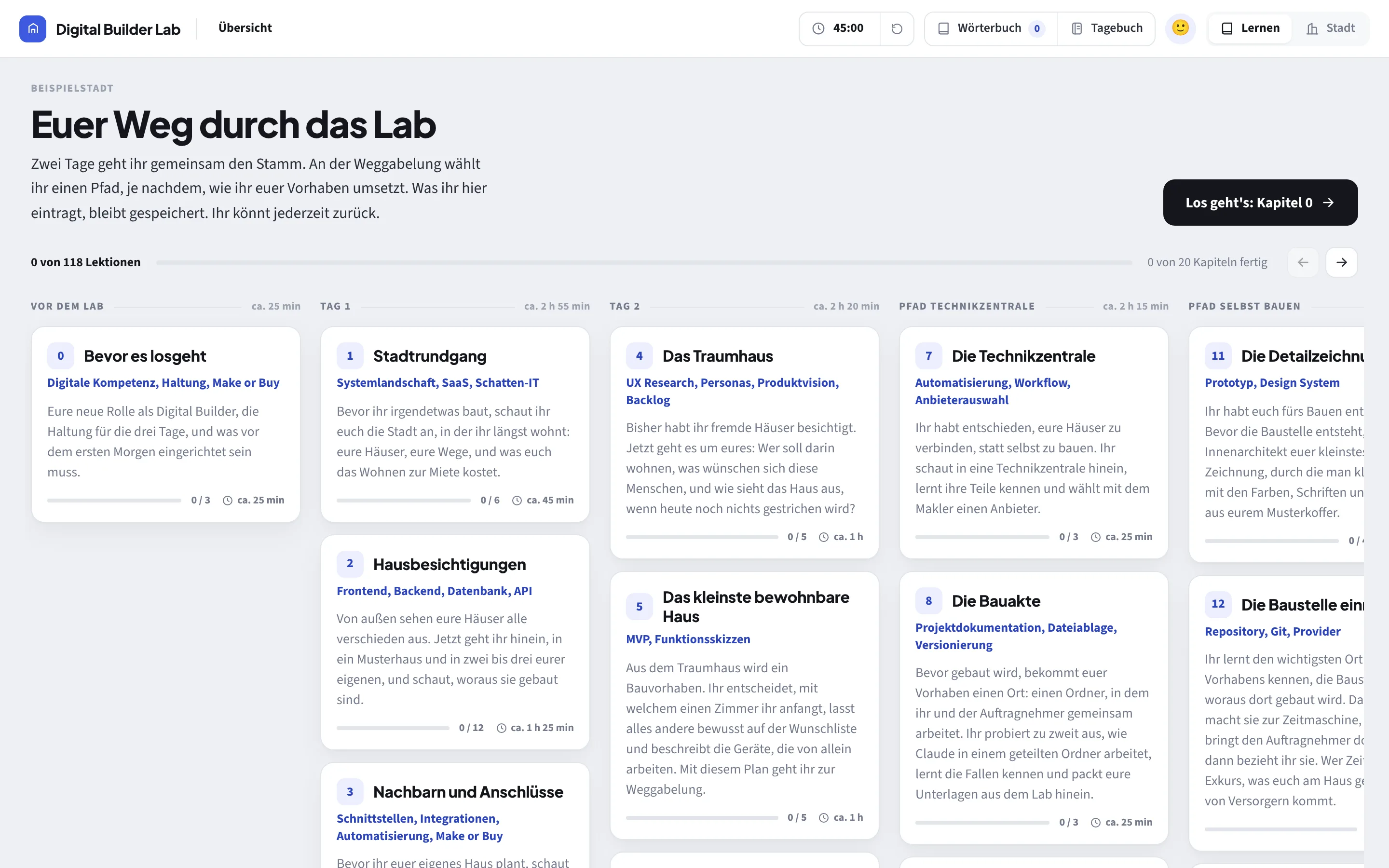
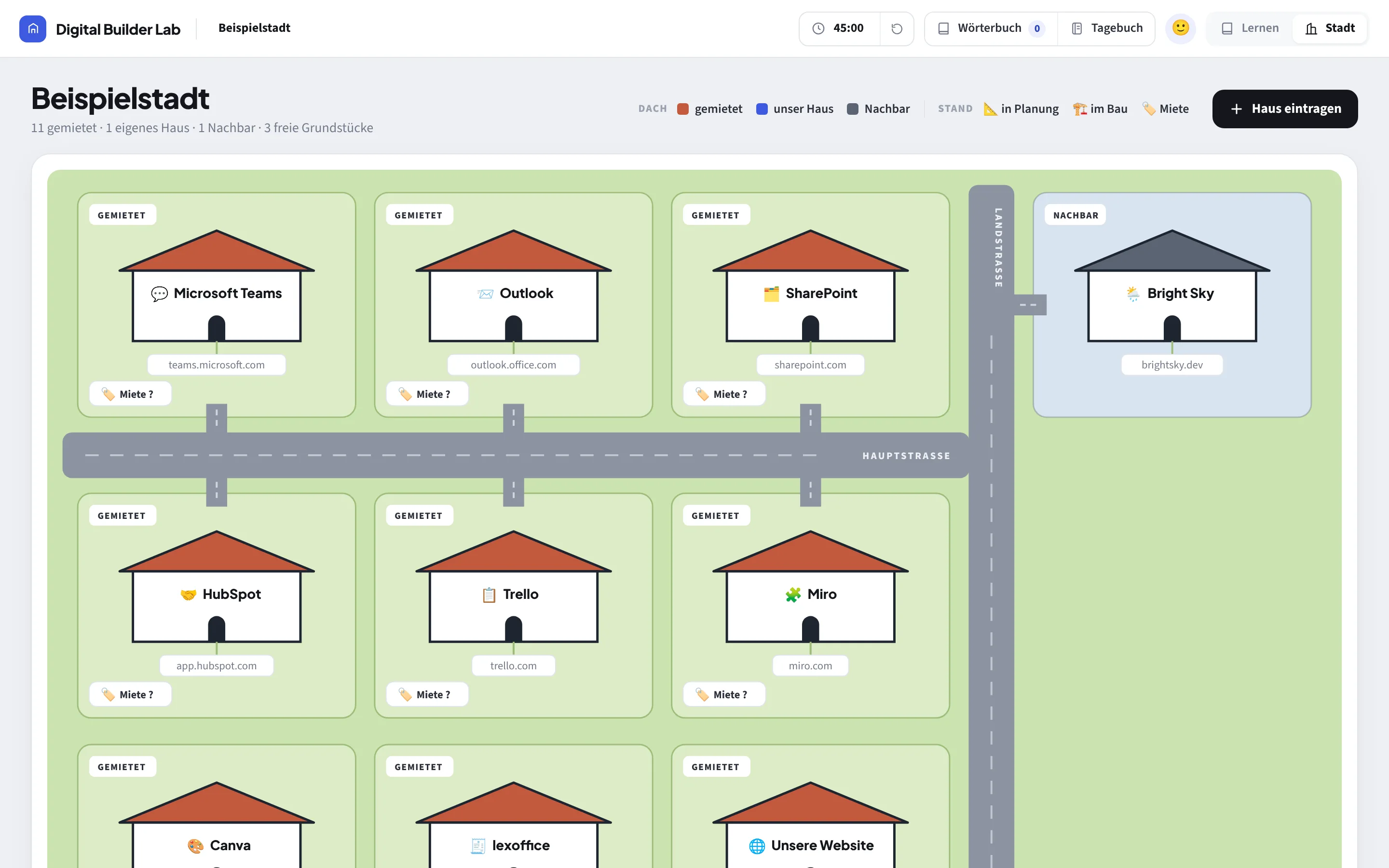
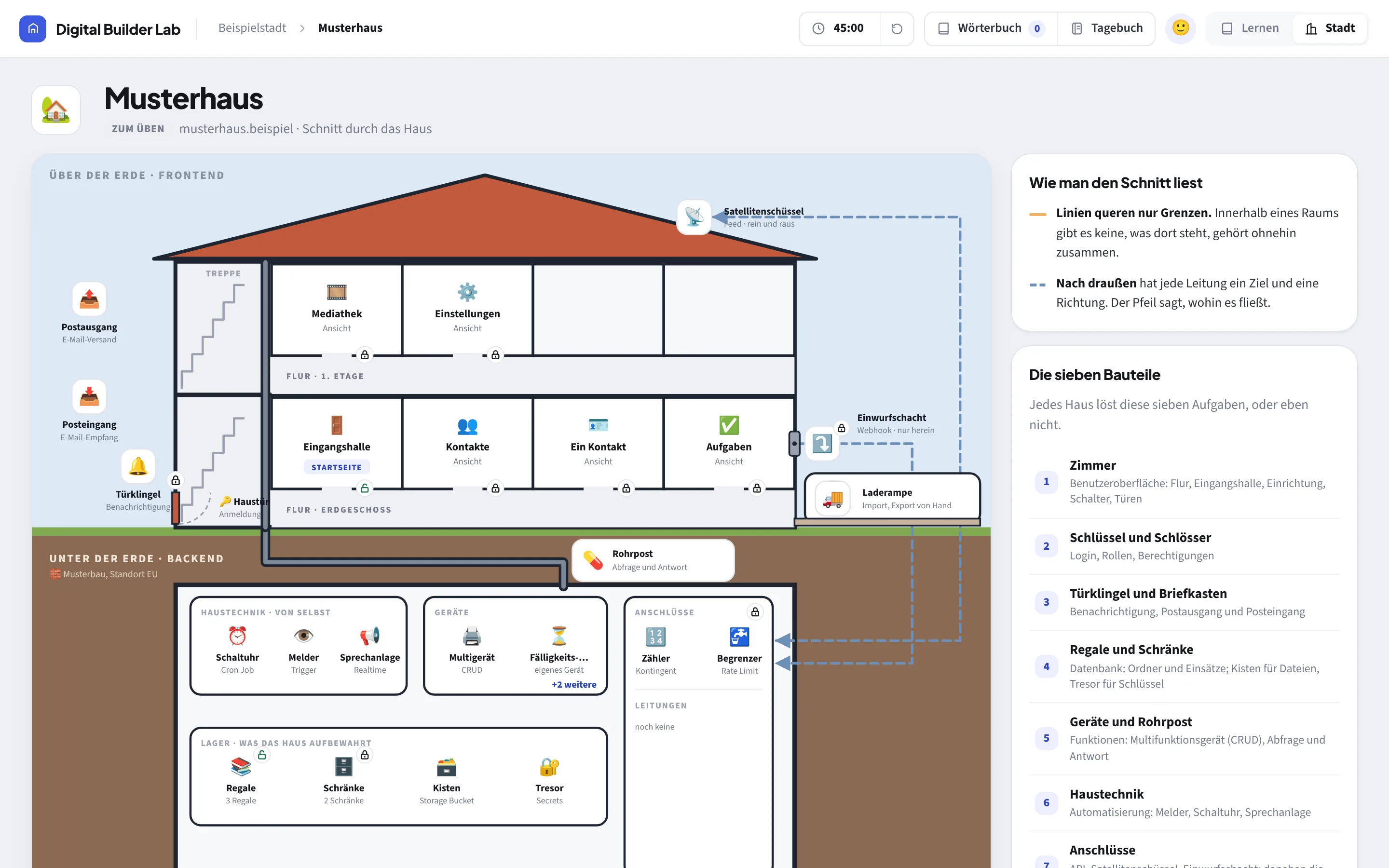
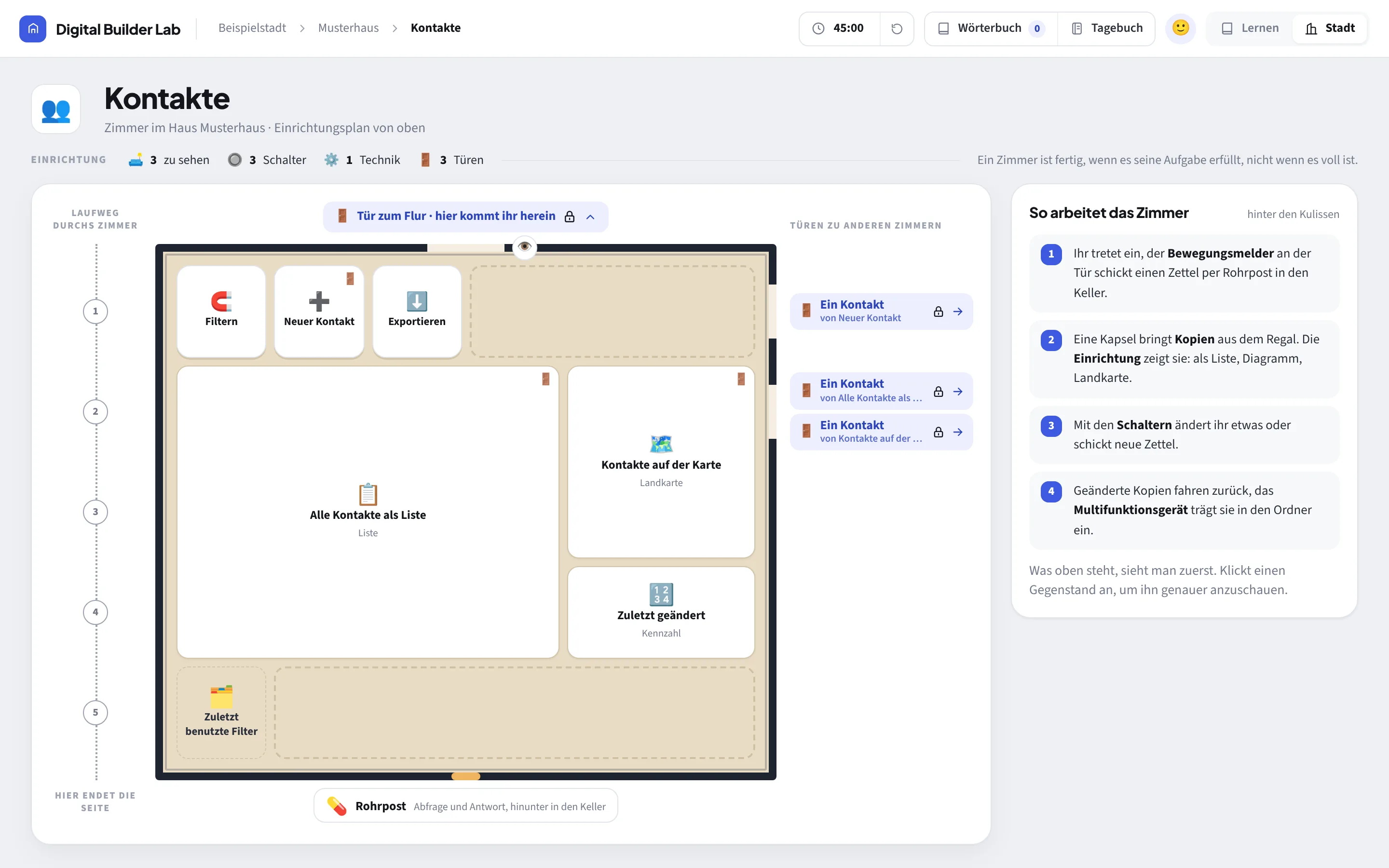
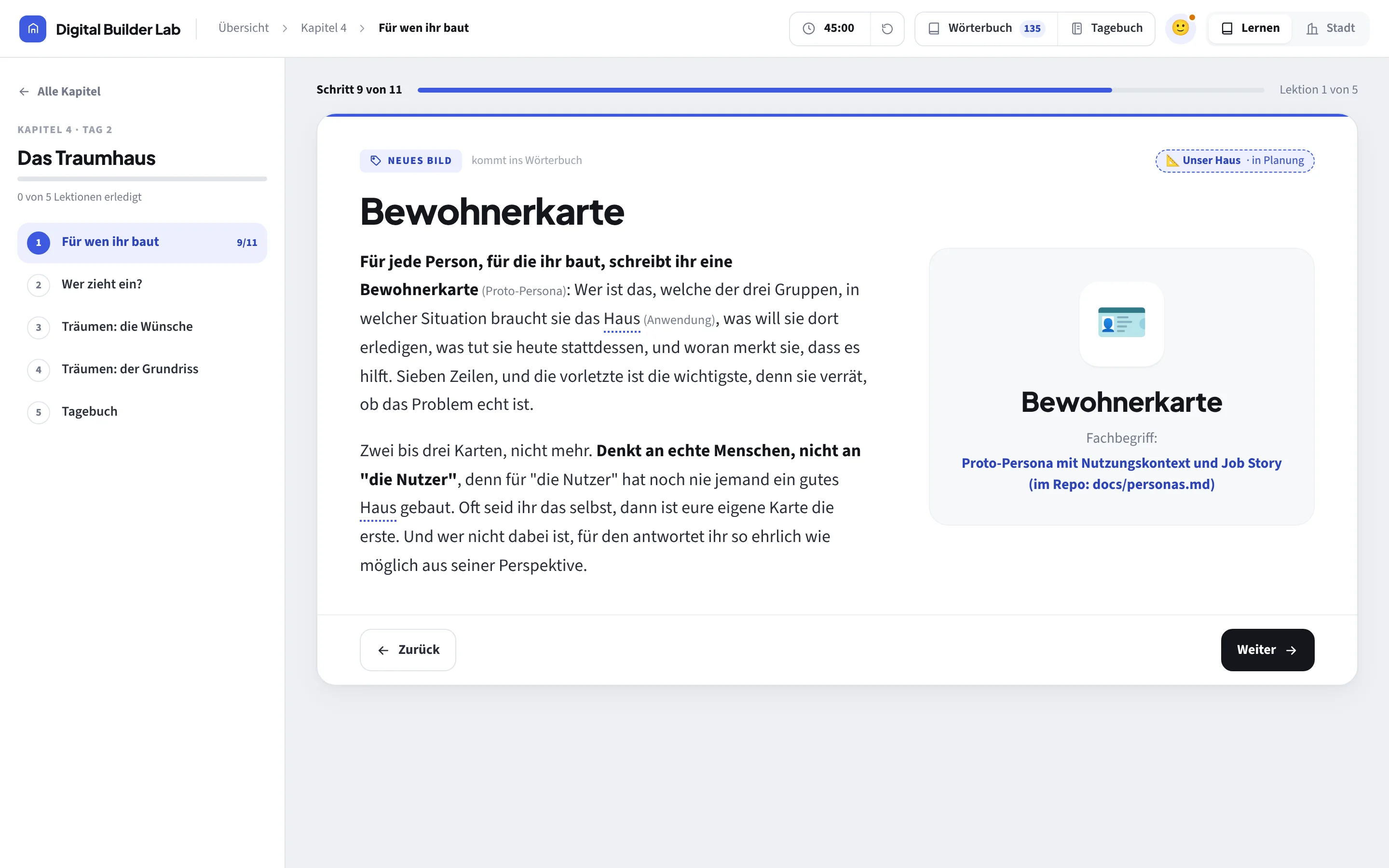
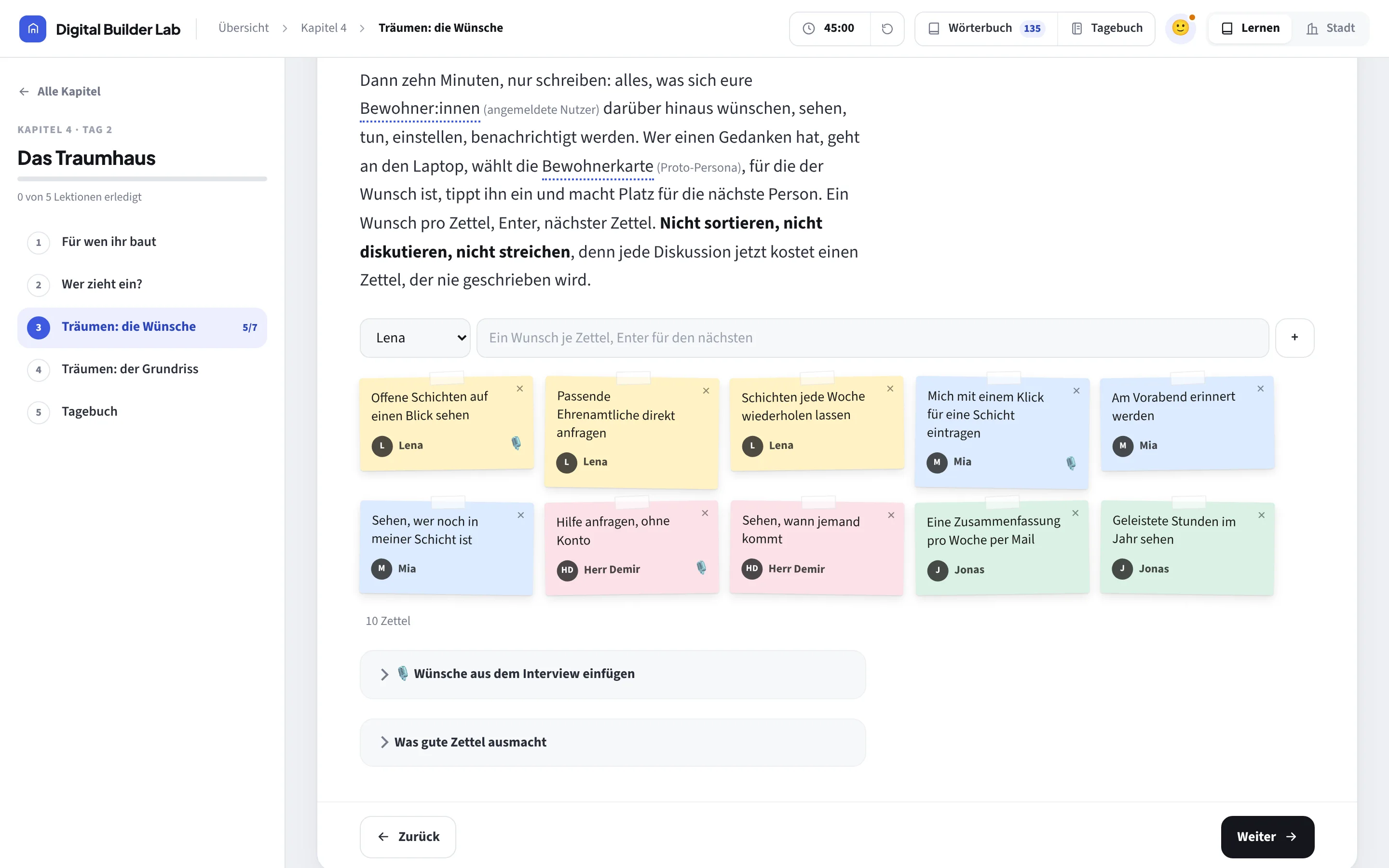
Simple pictures. Real concepts.
Every picture stands for a concept from the professional world. Teams learn both.
- CitySystem landscape
- HouseApplication
- RentingSaaS
- BasementBackend
- ContractorAI agent
- Control roomAutomation platform
- Resident cardPersona
- Wish listBacklog
- Furnishing planWireframe
- OrderSpec
- Building siteRepository
- Site fencePermissions and sandbox
The whole curriculum20 chapters
- 00Before we startDigital literacy · Mindset · Make or buy
- 01A walk through the citySystem landscape · SaaS · Shadow IT
- 02House viewingsFrontend · Backend · Database · API
- 03Neighbours and connectionsInterfaces · Integrations · Automation
- 04The dream houseUX research · Personas · Product vision · Backlog
- 05The smallest liveable houseMVP · Function sketches
- 06The fork in the roadMake or buy
- 07The control roomAutomation · Workflow · Vendor selection
- 08The building fileProject documentation · File storage · Versioning
- 09Ordering and test buildingSpec-driven · Requirements engineering · Webhook
- 10Handover and operationAcceptance · Operation · Monitoring
- 11The detailed drawingPrototype · Design system
- 12Setting up the building siteRepository · Git · Provider
- 13The site fencePermissions and sandbox for AI agents
- 14Commissioning properlyRequirements engineering · Software architecture
- 15Groundbreaking and inspectionImplementation · Review · Acceptance test
- 16Basement, shelves and pipesDatabase · Access rights · Cron jobs
- 17Outbox and building inspectorEmail delivery · Security review
- 18Plot, address, moving inHosting · Deployment · Domain
- 19Living, remodelling, extendingSupport · Maintenance · Further development
Chapter 19 is for the weeks after the Lab.
Questions, answered.
How does it run?
Lab days of about four hours each, on site, online or mixed. One day is enough to understand and decide. Three days add a first working version. Five days take the whole path. Preparation, setup and documentation are included.
What do you need?
A core team of up to three people, suitable devices and the accounts your IT has approved. No tech background, but time and curiosity.
What about AI results and data?
AI results get checked, always. That is part of what the Lab teaches. Personal or confidential data only with your explicit approval.
What happens after the Lab?
Your team keeps access to the platform and can repeat the process with the next project. Operation, support and further development can be booked separately.
What does it cost?
On request. Every Lab starts with a short conversation about your project. Nonprofits get a reduced rate.